Document creation for the AI era.
Tell your familiar AI tool what you want to make. Review the result and ask for changes in plain words. Preview with WworPoint, then export PDF or HTML.
No AI is built into this application. Use familiar external tools such as ChatGPT, Claude or Gemini. People review the content and design.
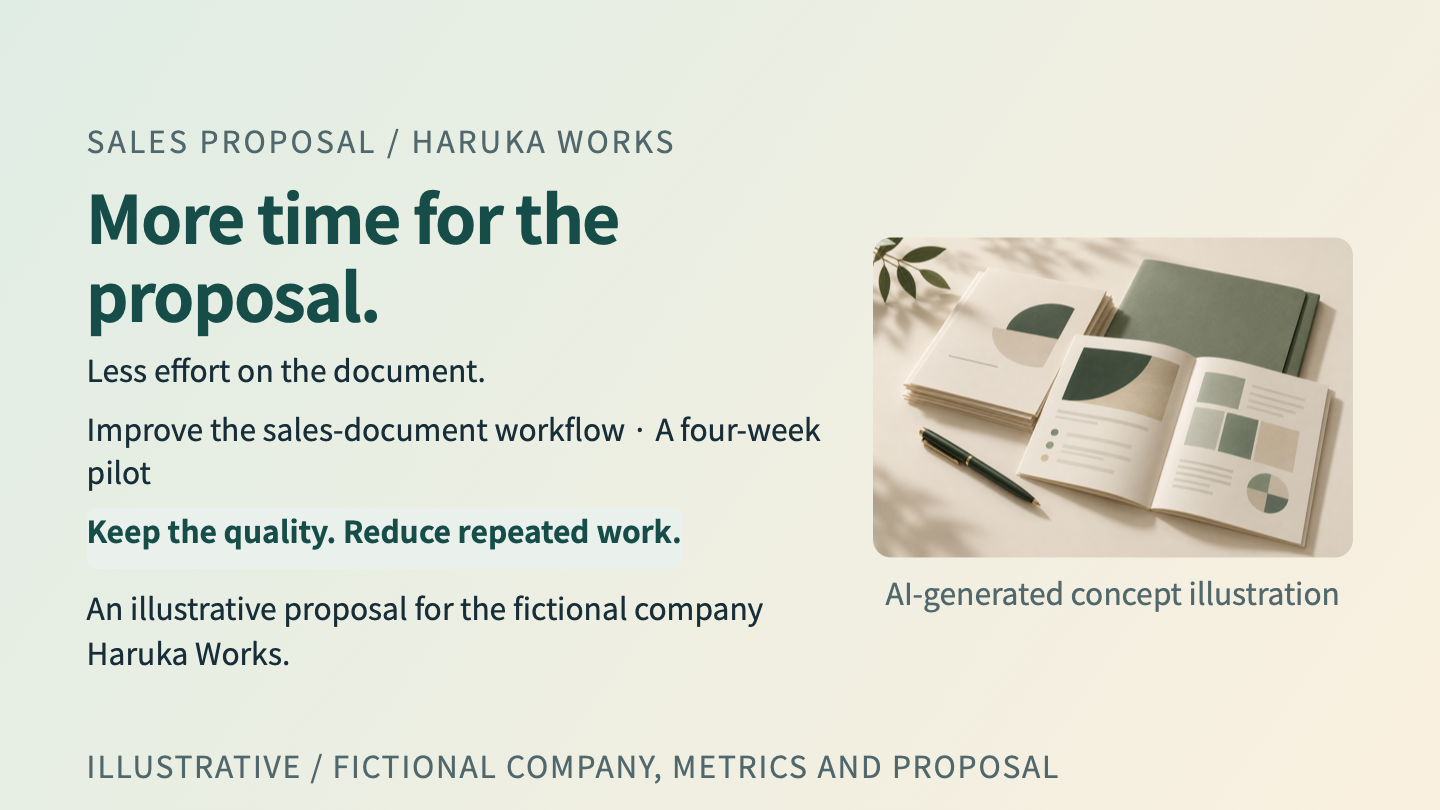
SALES PROPOSAL / HARUKA WORKS
# More time for the proposal.
Less effort on the document.
Improve the sales-document workflow · A four-week pilot
> Keep the quality. Reduce repeated work.
An illustrative proposal for the fictional company Haruka Works.
AI + TEXT EDITING
Create with AI.
Focus on content and design.
Tell your familiar AI tool what the document should say and how it should look. Review the result in VS Code, then ask for changes in plain words.
Use WworPoint to preview, validate and export PDF or HTML. People check the content, figures and appearance as they finish the document.
The VS Code beginner guide takes you from installation to your first document. AI is provided by a separate service or tool.
REAL OUTPUTS / FICTIONAL EXAMPLES
Two formats.
Documents for different readers.
A sales deck and A4 proposal, generated by the real wwpo 0.1.0 CLI. Explore charts, diagrams and the source files. The Japanese site presents equivalent Japanese examples.
Make the point in the room.
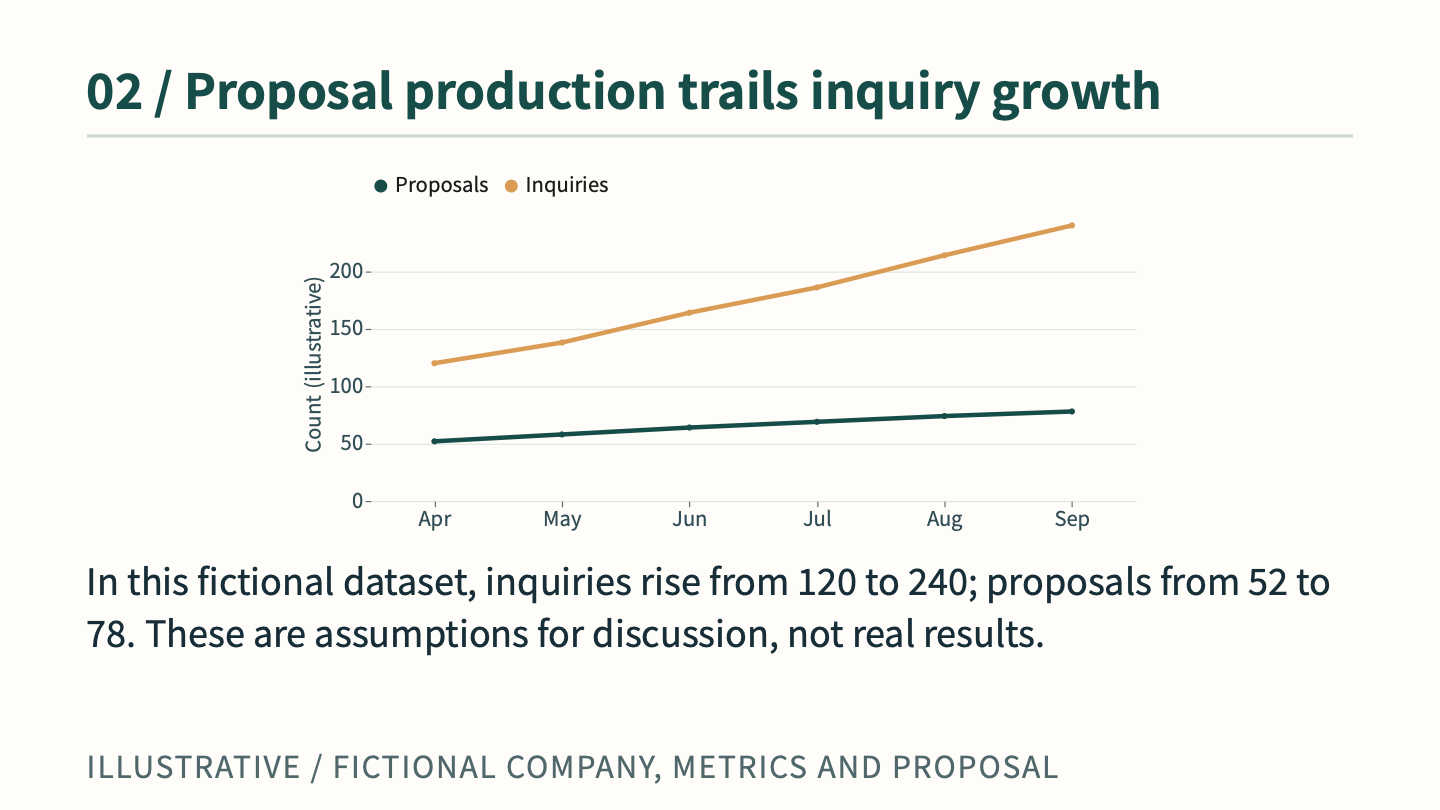
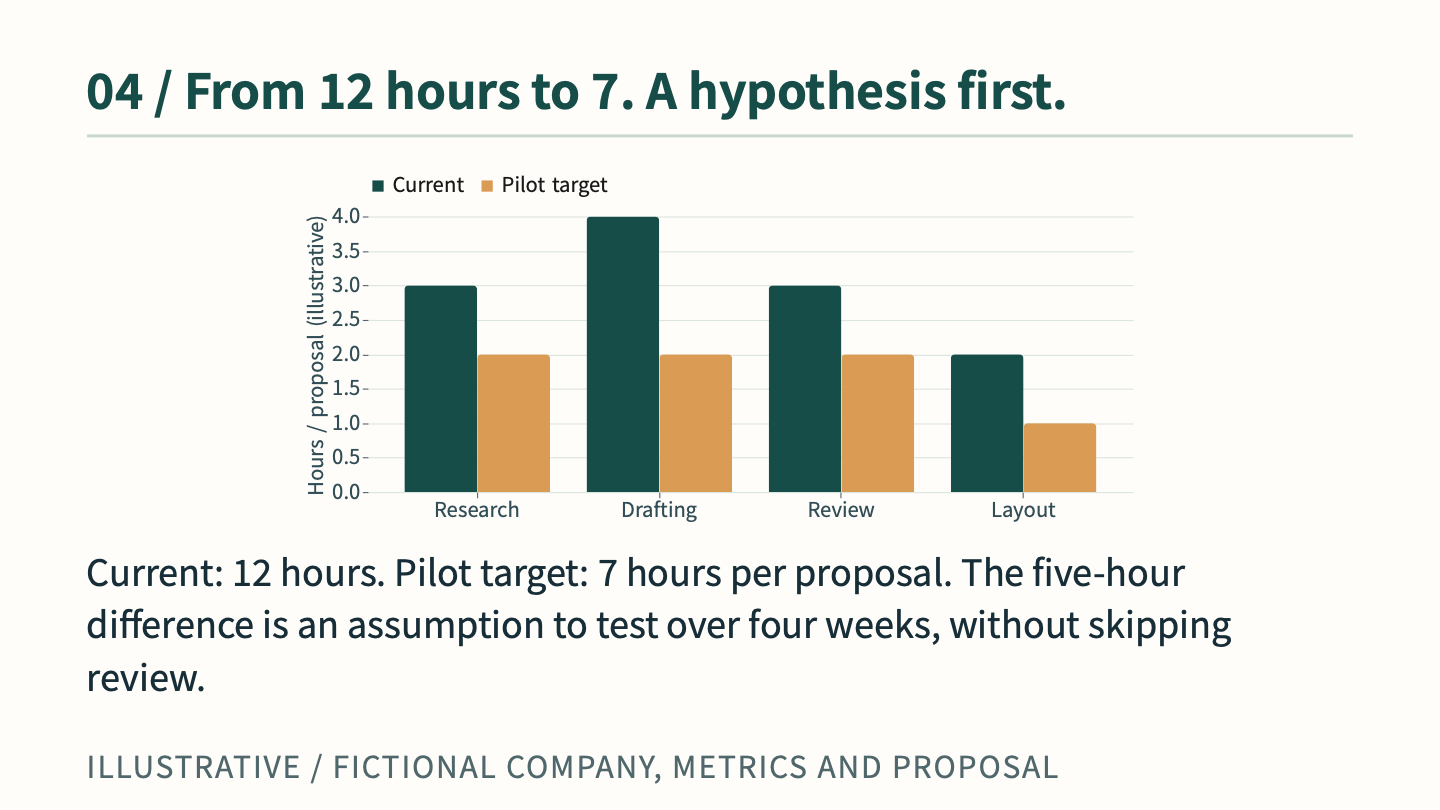
Ten slides. A persuasive story with trend, comparison and composition charts, process diagrams and a rollout plan. All data is fictional.
Compare output & source ↗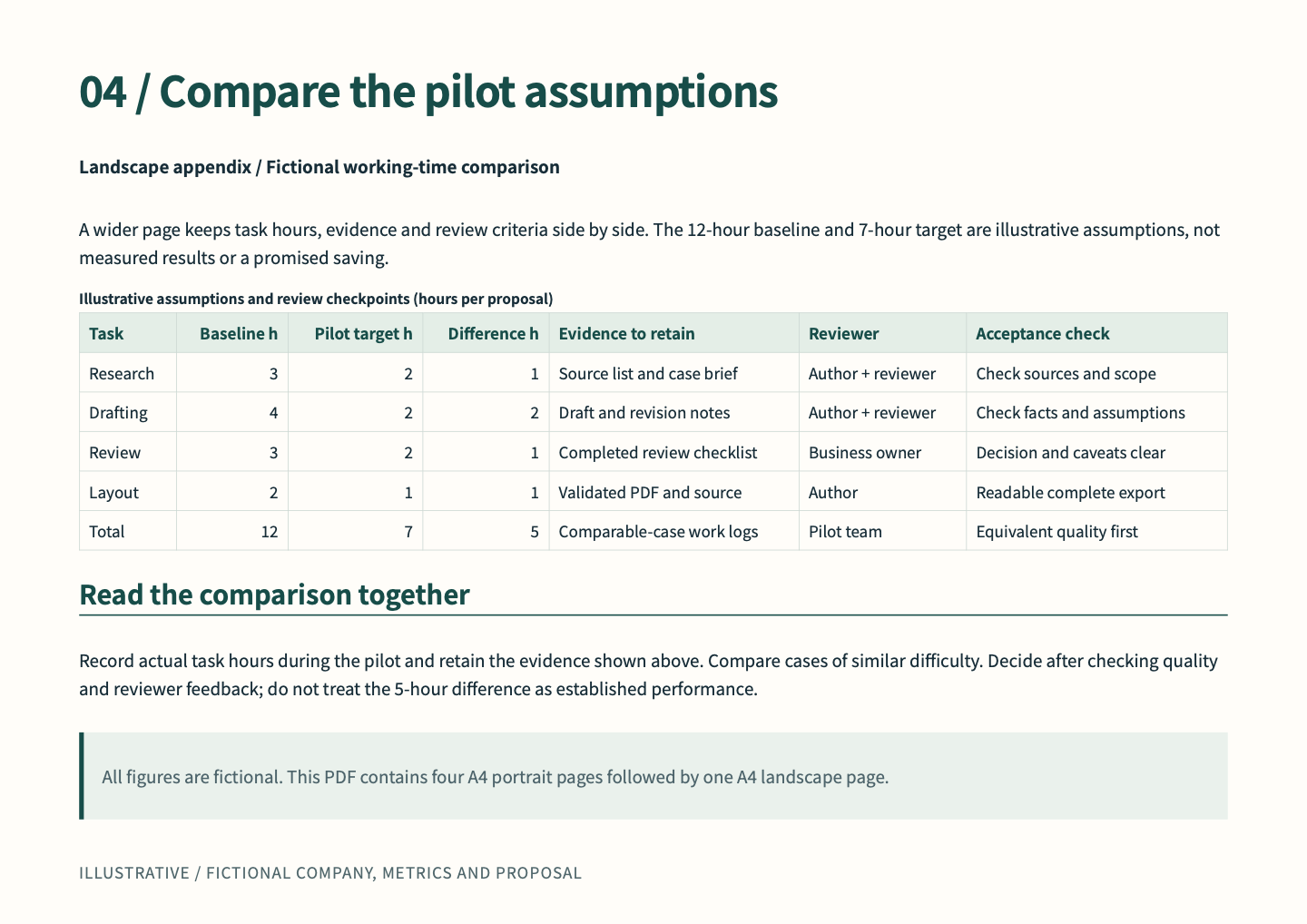
Leave room for the details.
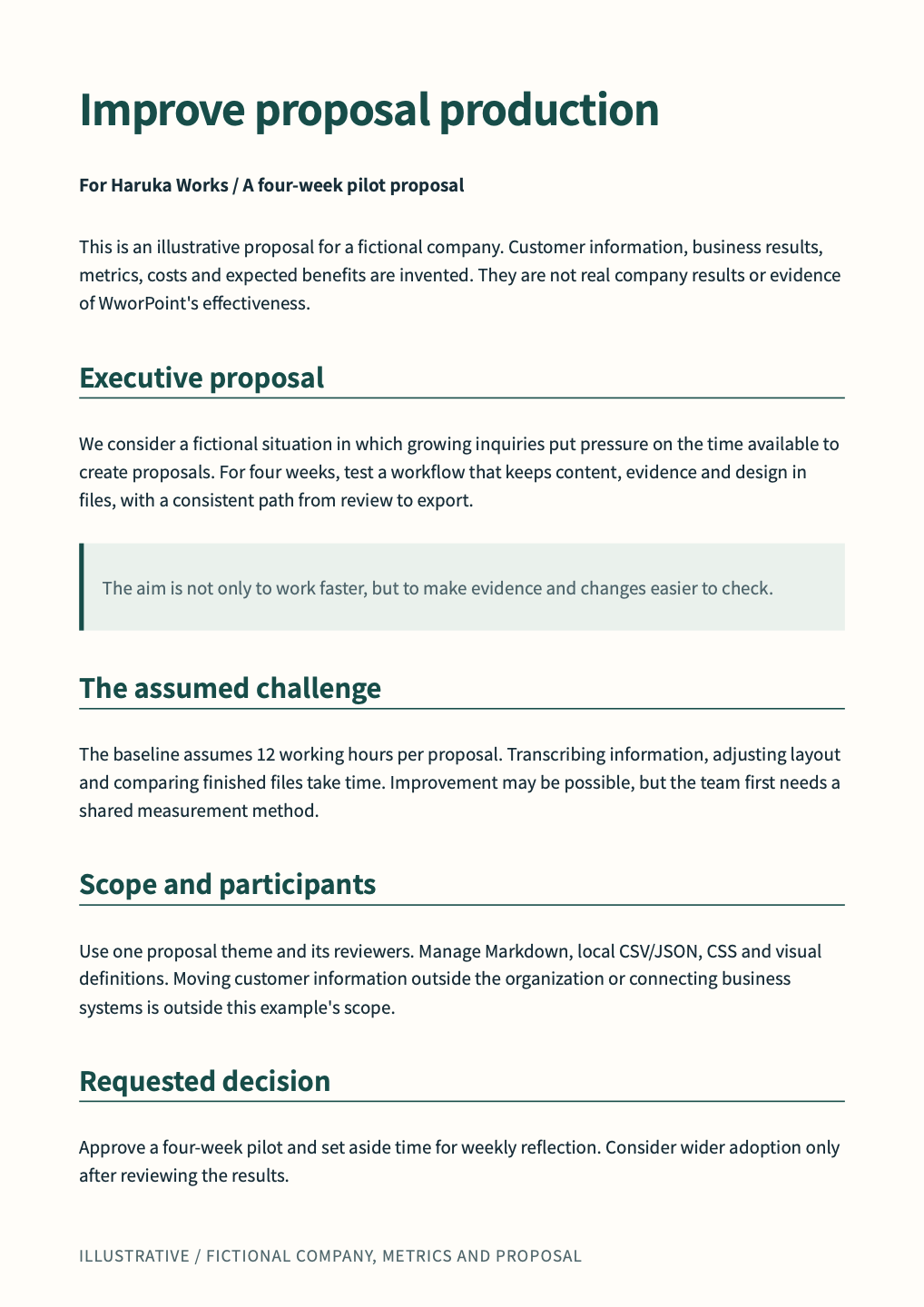
Five A4 pages: four portrait pages and one landscape comparison appendix. Context, evidence, review design and rollout, supported by charts, diagrams and tables.
Compare output & source ↗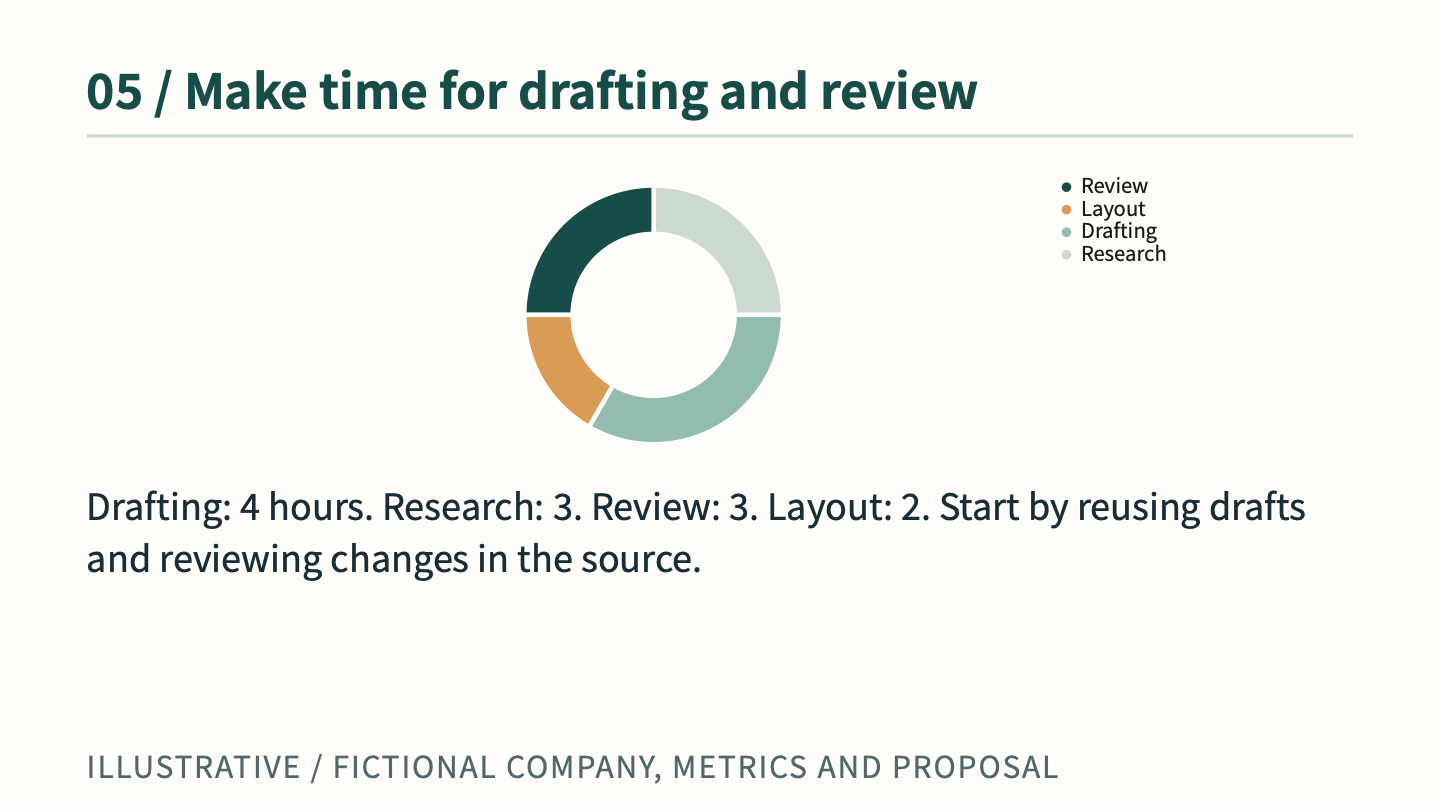
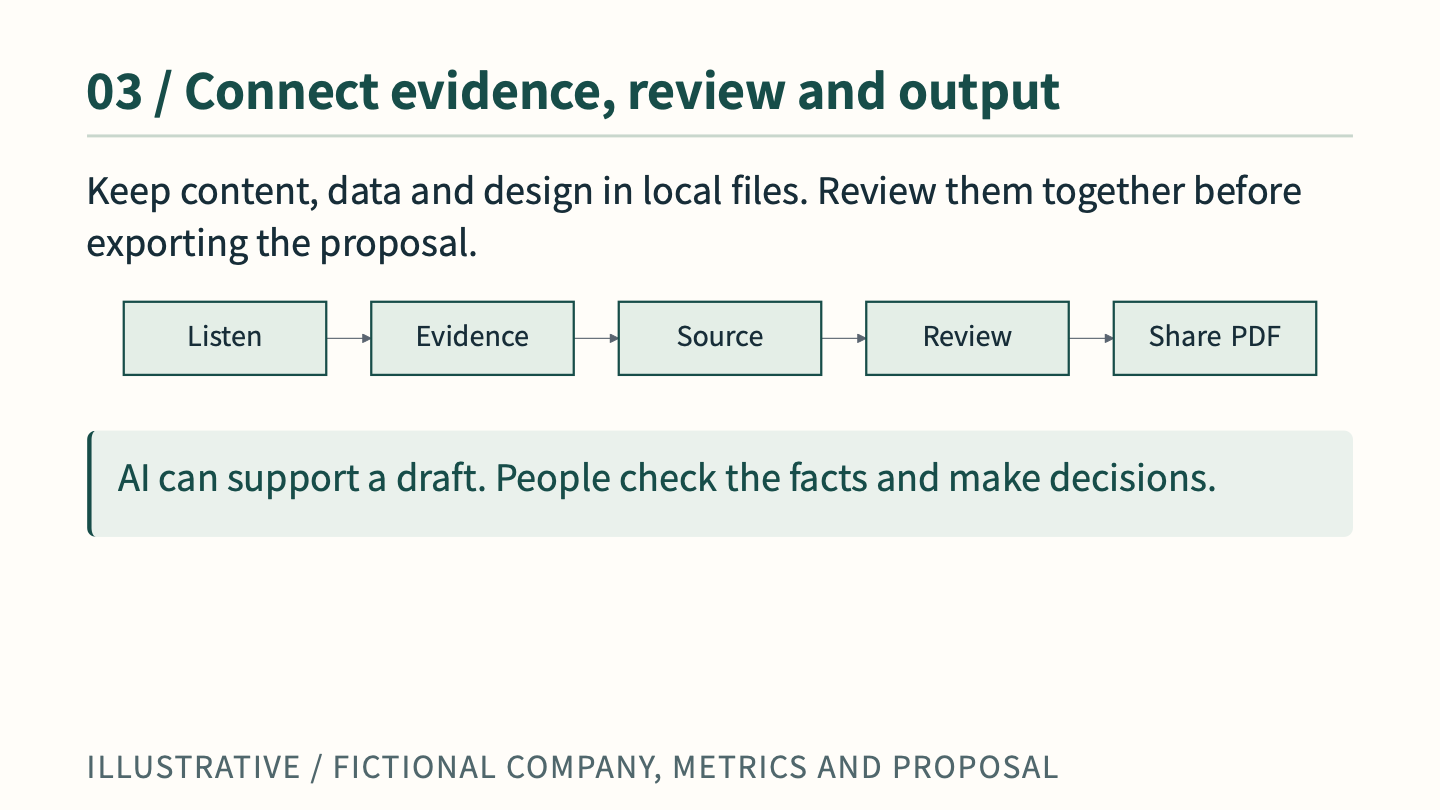
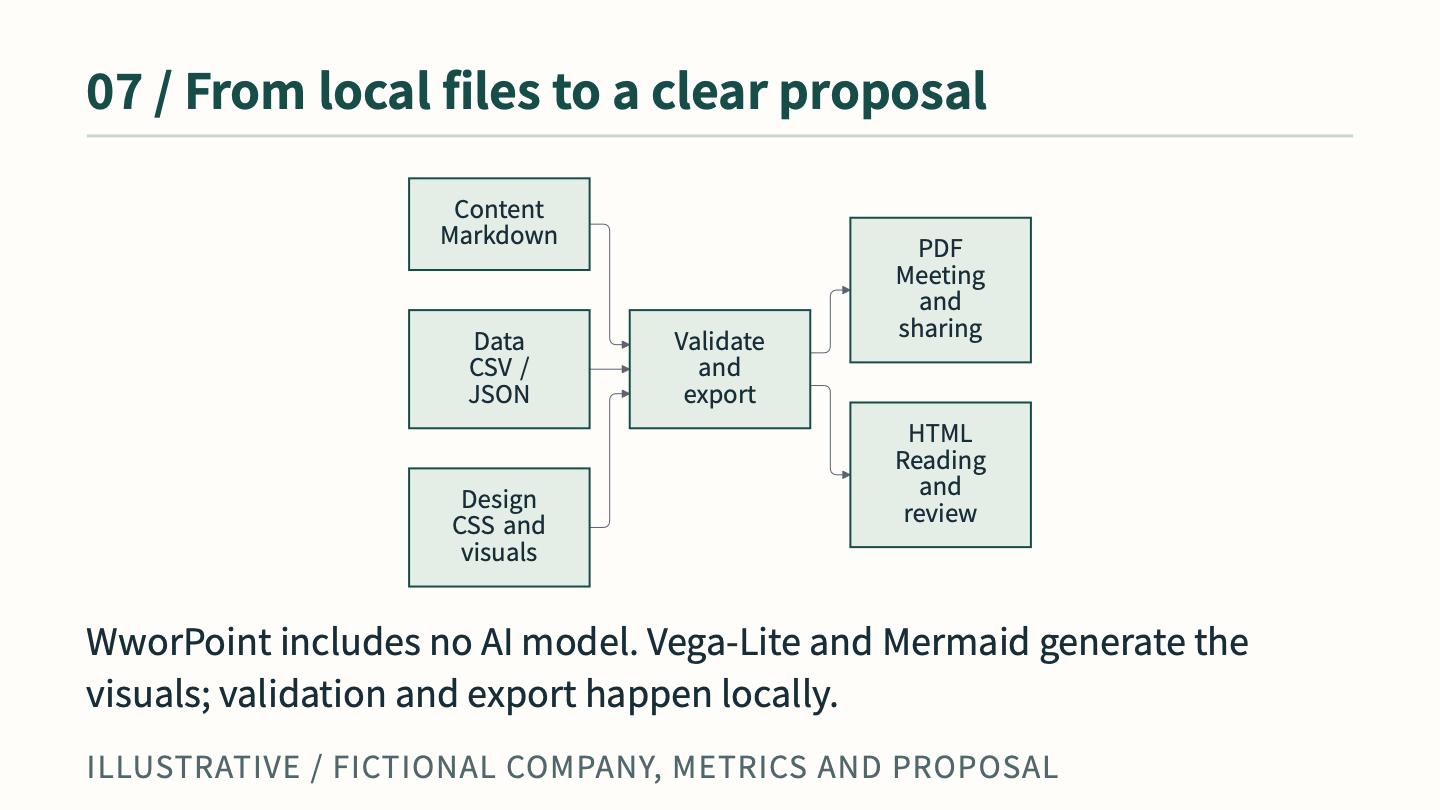
Charts and workflows from the actual presentation. All examples are fictional.
FIVE TOPICS / REAL OUTPUTS
A design that fits the story.
Business clarity, monochrome print, soft pink, quiet luxury and playful events. Different backgrounds, illustrations, typography and spacing turn fictional topics into real documents. Explore the finished pages and their editable source and images.
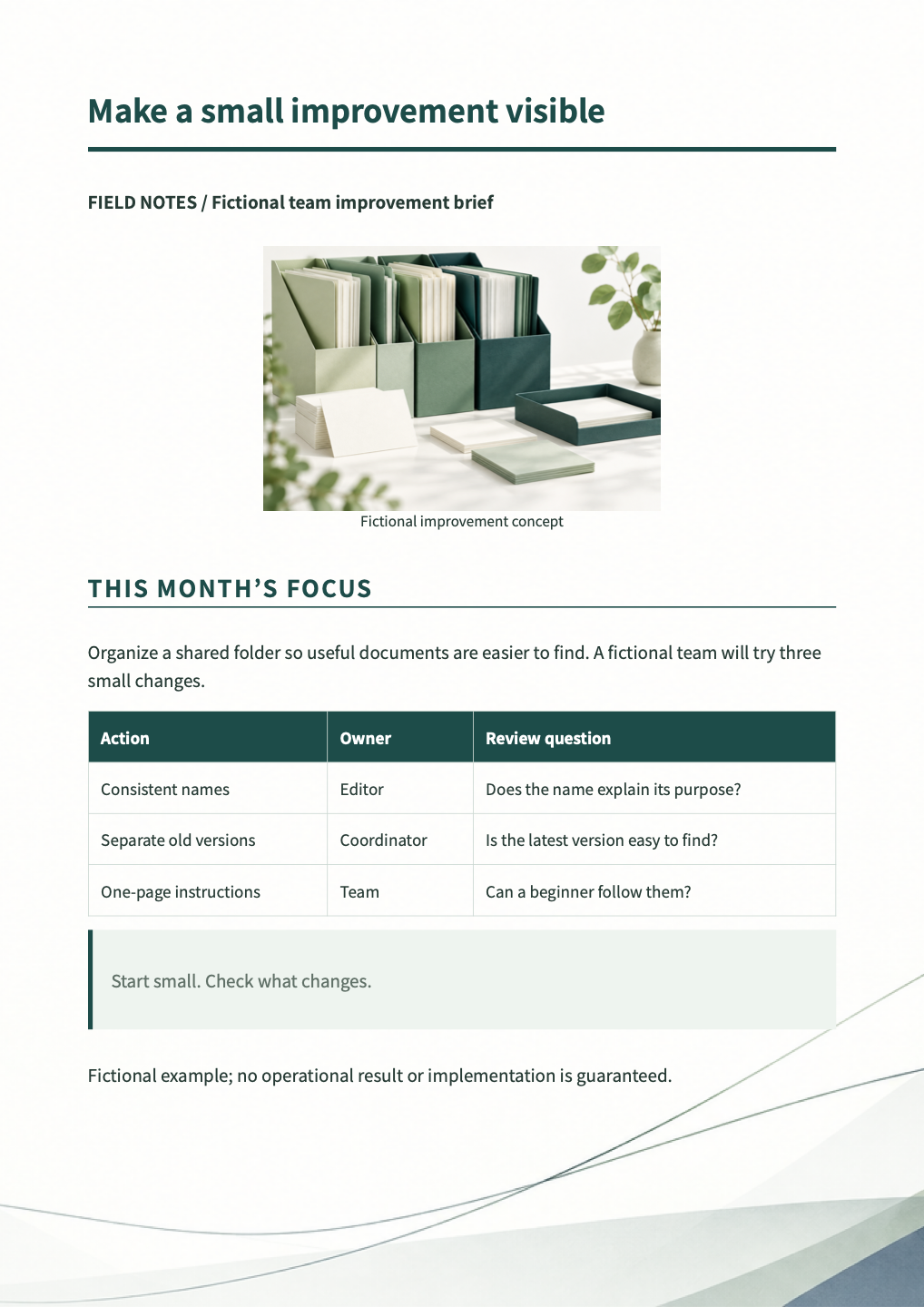
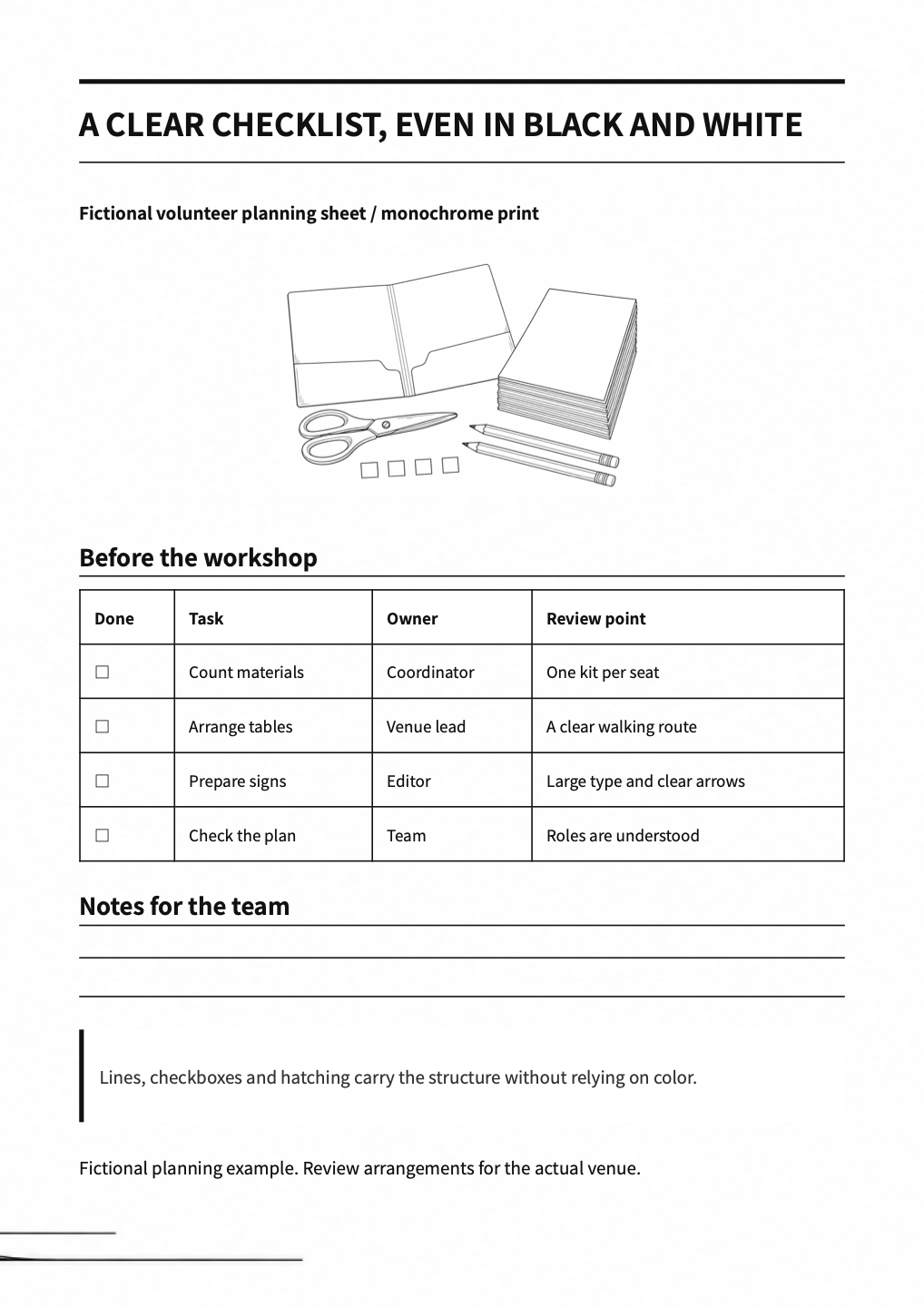
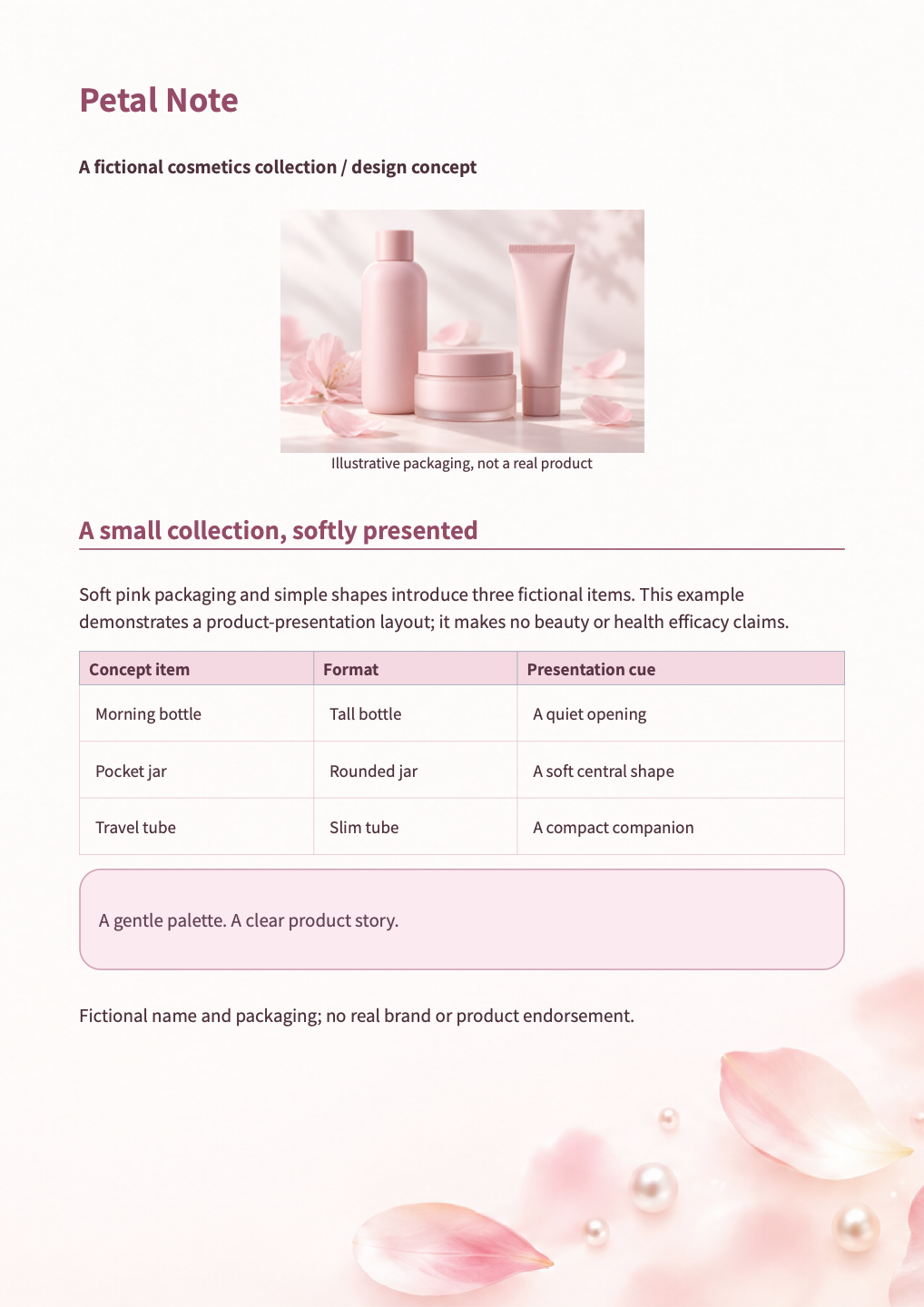
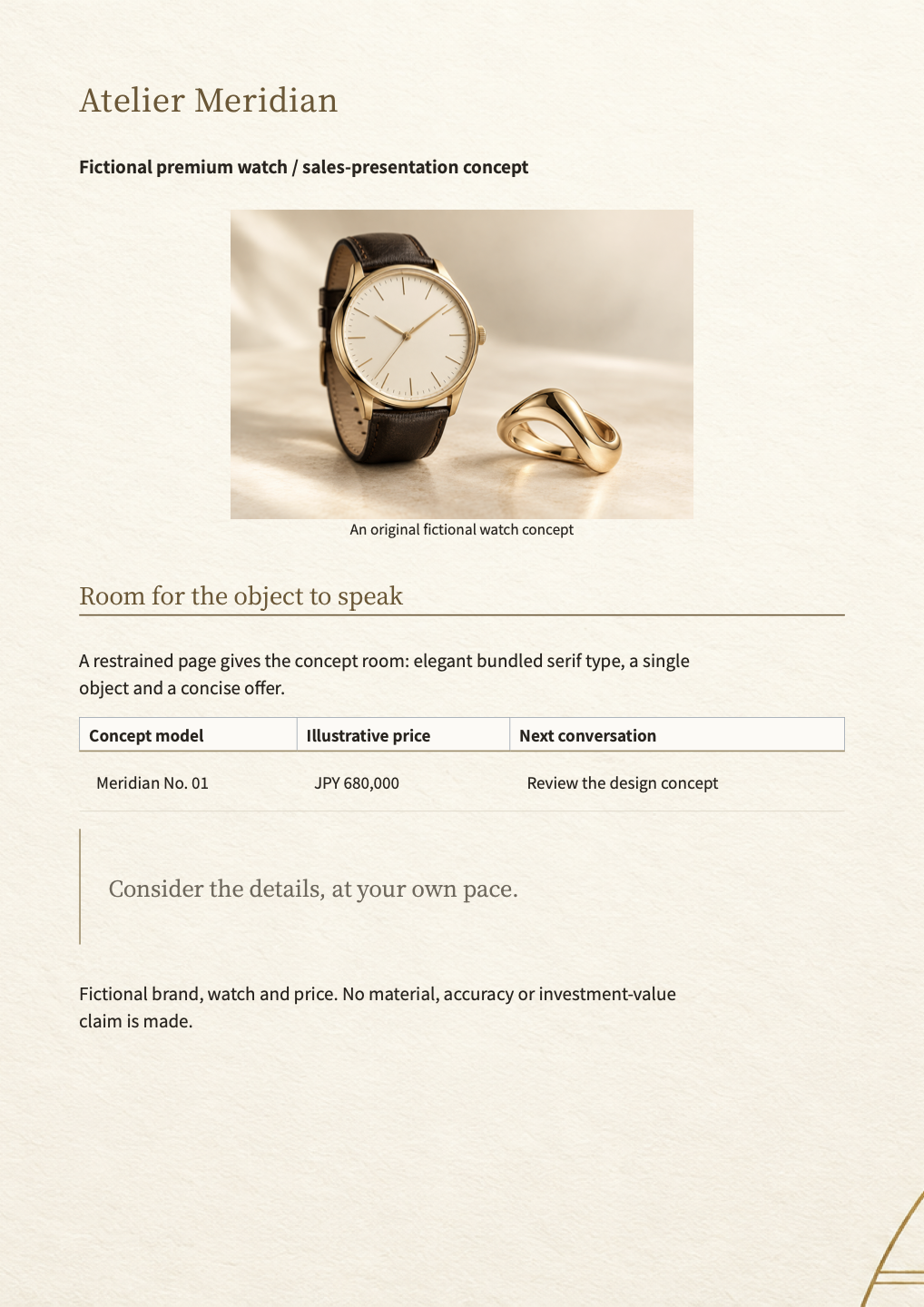
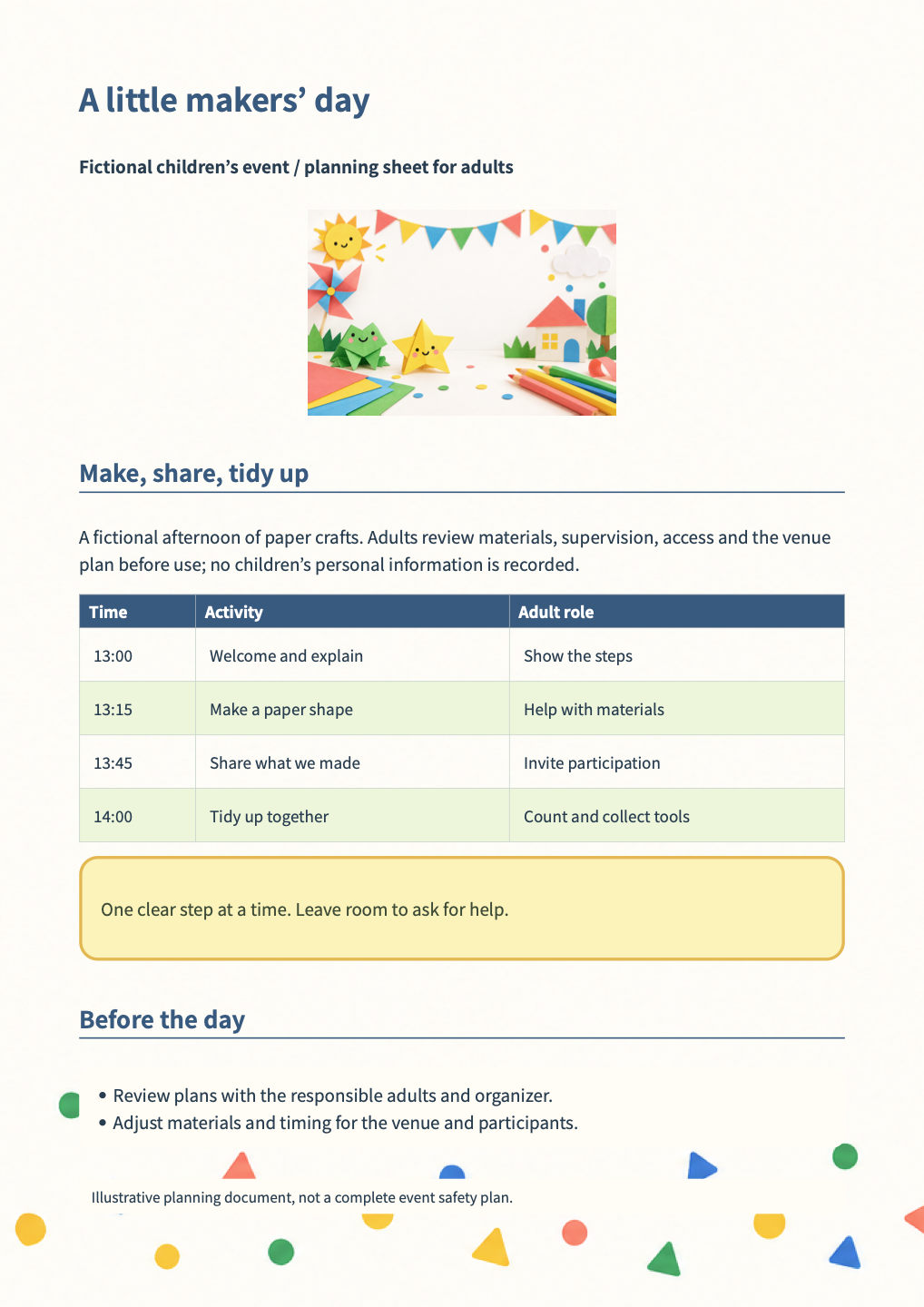 ACTUAL WWORPOINT OUTPUTS · FICTIONAL EXAMPLES · ONE PAGE EACH
AI ASSISTED / HUMAN REVIEWED
Draft together.
Let AI shape the design.
Use familiar external AI tools such as ChatGPT, Claude or Gemini to draft content and design source. WworPoint includes no AI model, built-in integration or AI credits. People review the facts and design; WworPoint previews, validates and exports the files.
Markdown, CSS, Mermaid and Vega-Lite are text formats AI can read and revise. Ask familiar external AI tools to shape layouts, colors, diagrams and charts within the supported format. A practical prompt and review workflow ↗
Revise the proposal during the meeting.
Adjust customer conditions or figures in Markdown and CSV, save the files, and inspect the updated local preview together. Review the content, validate and export when ready, then present the revised proposal.
See an illustrative edit scenario ↗- 01Draft and design with AI
Markdown + data + CSS - 02Review facts and design
Review → revise → Git - 03Validate the layout
WworPoint: Validate - 04Share PDF or HTML
WworPoint: Export
ON YOUR COMPUTER
Install it on your computer.
This website introduces WworPoint and shows you how to use it. WworPoint is a tool you install on your computer, rather than a cloud document service. It uses a browser installed on your computer to display and export documents. If you use AI, you choose a separate AI service or tool.
See installation steps ↗Start with one clear idea.
Practical tips: reuse projects and review changes ↗
Pre-release: the VS Code extension and npm package are not publicly distributed. Installation instructions are for test artifacts you already have.
ABOUT THE CREATOR
Built by ugas-labs.
WworPoint is developed by ugas-labs, an individually run development project that is not incorporated. The program (extension and CLI) is licensed under AGPL-3.0-only, subject to its terms. WworPoint is in beta. This site publishes information and manuals; software is supplied separately to invited testers.
Document preview, validation and export run locally. External AI services have their own fees and data-handling terms. Review those terms before sharing your documents.